
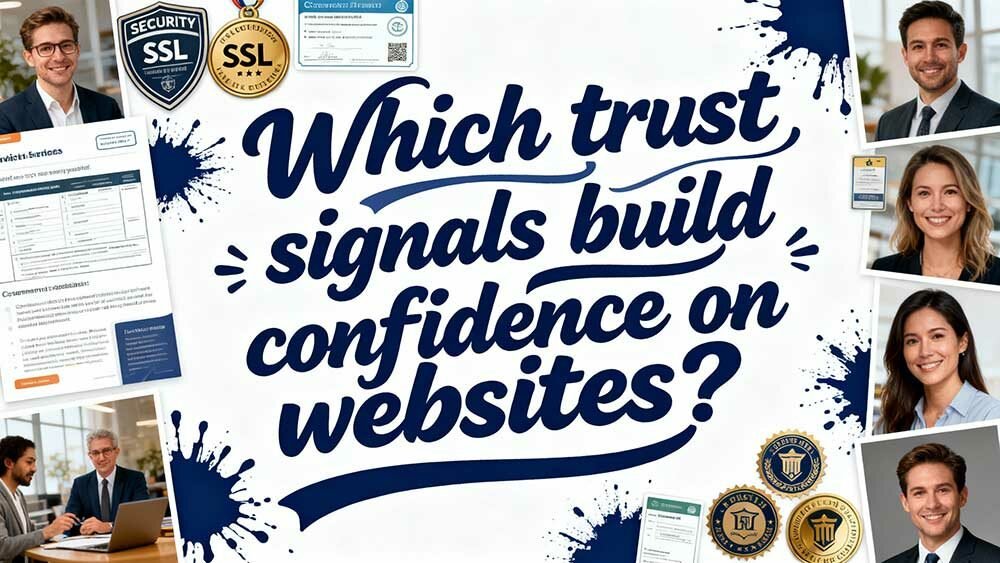
You’ll build instant visitor trust through five key elements: display SSL certificates and security badges prominently, use professional blue/green colour schemes with high-quality original images, showcase verified customer testimonials and social proof from platforms like Facebook, highlight industry certifications with credential numbers, and provide transparent contact information across multiple channels.
Real-time support features like live chat with “2-minute response” promises can enhance conversions by 250%. These strategic combinations work together to create the credibility foundation your visitors expect.
Key Takeaways
- Display SSL certificates, security badges, and compliance certifications prominently to create immediate visual confidence in your website’s safety.
- Use professional design with trust-building colours (blue/green), high-quality original images, and consistent branding across all devices and pages.
- Showcase verified customer testimonials, reviews, and user-generated content with specific details and authentic photos to demonstrate social proof.
- Provide multiple contact channels with visible response times and live chat support to reduce visitor hesitation and uncertainty.
- Maintain transparent policies in plain language and display relevant industry certifications with credential numbers to establish authority.
Security Elements That Instantly Reassure Website Visitors
When visitors arrive on your website, they’re making split-second decisions about whether to trust you with their personal information, credit card details, or sensitive business data. Your security measures need to function immediately—no second chances here.
Start with the fundamentals: SSL/TLS certificates creating that reassuring lock symbol in browsers. Visitors recognise this instantly.
Display industry-specific compliance badges prominently—PCI DSS for e-commerce, POPIA for South African data protection compliance, GDPR for international operations, and relevant industry certifications. These aren’t just decorative; they’re evidence you follow local and international regulations. Additionally, ensuring regular website security maintenance protects against attacks and hacks, reinforcing visitor confidence.
Third-party security seals from Norton, McAfee, or TRUSTe add credibility. Include real-time validation indicators showing “Verified by…” status.
Don’t hide your privacy policy—make it visible and accessible, ensuring it complies with the Protection of Personal Information Act (POPIA). Cookie consent tools demonstrate transparency whilst encryption icons reinforce your HTTPS commitment to protection. With phishing attacks accounting for nearly 30% of global breaches in 2024, these visible security elements serve as crucial barriers against sophisticated scams targeting your visitors.
Display accepted South African payment methods like major local banks, instant EFT, and mobile payment solutions to build additional trust with local customers.
Visual Design Components That Signal Professional Credibility
Professional credibility isn’t just about having the right credentials—it’s about looking the part from the moment someone lands on your site. Your visual design speaks before your content even gets a chance.
Your visual design delivers the first impression that either builds or destroys trust before visitors read a single word.
Smart design choices create instant trust through three core elements:
- Strategic colour psychology – Blue commands 46% preference for business sites, whilst green captures 30%. This isn’t coincidence—these colours trigger subconscious trust signals that can enhance comprehension by 73%. Responsive design, inspired by platforms like WordPress solutions, ensures these colours adapt seamlessly across devices for maximum impact.
- Original, high-quality imagery – Skip the cheesy stock photos. Original images generate 20% higher engagement and signal authenticity. Users focus 5.94 seconds on your main image, so make it count.
- Consistent brand presentation – 26% of users judge professionalism through cohesive colour schemes and balanced typography that reinforce your expertise. Visual consistency across all devices creates reliability expectations that keep visitors engaged and returning.
Customer Reviews and Social Proof That Drive Conversions
You’ve built a visually credible website, but your conversion rates remain stubbornly low because visitors still don’t trust you enough to buy.
The solution lies in strategically displaying verified customer testimonials and integrating social media proof that transforms sceptical browsers into confident buyers. Research shows that businesses responding to all reviews see an 89% likelihood of being chosen by consumers, which is double the rate of businesses that don’t respond to customer feedback.
Let’s examine how to implement these trust signals effectively, starting with testimonial display strategies that can increase your conversions by up to 270%. Leveraging SEO-optimised content on your website can further enhance visibility and trust among potential customers.
Verified Testimonial Display Strategies
Although you’ve built an incredible product or service, potential customers won’t trust your word alone—they need to hear from real people who’ve already taken the plunge. Your testimonial display strategy determines whether visitors convert or click away.
Here’s how to maximise verified testimonial impact:
1. Strategic placement matters most—position reviews prominently on product pages since 50% of customers visit your website after reading reviews elsewhere.
Don’t bury them below the fold.
2. Match review quantity to price point—lower-priced items need 2-4 reviews for impact, whilst higher-priced products require at least 5 reviews to build sufficient trust.
3. Balance authenticity with performance—display verified reviews with specific details and real customer photos.
Avoid curating only positive feedback; balanced reviews actually increase credibility.
4. Leverage testimonials that highlight client satisfaction to reinforce trust and demonstrate consistent excellence in service delivery.
Social Media Proof Integration
When your potential customers scroll through their social feeds and stumble upon your brand, they’re not just seeing your product—they’re witnessing real people’s experiences with it.
This changes everything. Twitter reviews achieve 6.46% conversion rates—that’s 8.4x higher than typical Twitter performance. LinkedIn sees similar magic, boosting conversions 5.3x to 2.49%. Even Facebook, despite lower baseline engagement, still delivers 40% conversion improvements when reviews are present.
The hierarchy flip is extraordinary: Twitter suddenly outperforms Facebook when social proof enters the equation. You’re essentially reversing platform assumptions through authentic customer voices.
Here’s what works best: customer reviews surpass all other social proof types, while user-generated content doubles purchase likelihood. Media mentions add authority, but nothing beats real customers sharing genuine experiences across platforms.
Professional Certifications and Industry Recognition Displays
Professional certifications and industry recognition displays serve as powerful trust signals that immediately communicate your proficiency to potential clients and partners. These credentials act as third-party validators, substituting costly self-assessments whilst demonstrating your commitment to excellence.
Professional certifications eliminate the guesswork for clients—they’re instant proof of your expertise and dedication to staying current.
When visitors see your CIMA, PMP, or Microsoft Azure certifications prominently displayed, they’re witnessing verified competence that’s been tested and maintained through ongoing education.
The South African professional certificates market will hit R40.8 billion by 2025—clear evidence that certifications work. Here’s how to utilise them effectively:
- Display certifications prominently on your homepage and about page using official logos and credential numbers
- Group by relevance to your services, not chronologically
- Include expiration dates to show current validity and ongoing professional development
Communication Transparency That Eliminates Visitor Hesitation
You’ll notice visitors hesitate when they can’t quickly find ways to contact you or understand your policies.
Clear contact details, straightforward language in your terms, and immediate support access work together to remove those friction points that make people second-guess their decisions.
When communication feels effortless and transparent, you’re not just building trust—you’re eliminating the small doubts that drive potential customers away.
Clear Contact Information
Since 44% of website visitors immediately abandon sites missing contact information, your business can’t afford to hide behind vague “Contact Us” buttons that lead nowhere meaningful. Clear contact details aren’t just courtesy—they’re conversion necessities that build instant credibility.
Here’s what evolves hesitant visitors into trusting prospects:
- Multiple communication channels (email, phone, WhatsApp) cater to diverse preferences, ensuring 91% of trust-seeking consumers find their preferred method.
- Prominent placement in headers and footers meets user expectations while mobile-friendly formatting prevents the friction that kills engagement.
- Published response timeframes eliminate uncertainty—74% of South African consumers prioritise prompt resolutions, so tell them exactly when they’ll hear back.
Your contact information becomes a trust signal when it’s accessible, extensive, and professionally presented across all devices.
Plain Language Policies
Plain language transforms sceptical visitors into confident users. When Google rewrote their privacy notices using audience-focused approaches, trust scores improved significantly. Your policies should bridge technical gaps, not create them.
Start with incremental revisions to existing content. Replace complex terms with simplified explanations that reduce cognitive load. Focus on three key areas: privacy policies, terms of service, and data handling disclosures in line with the Protection of Personal Information Act (POPIA).
Third-party audits help maintain compliance with plain language standards and South African regulatory requirements. Remember, transparency in policy language directly correlates with increased user engagement and reduced negotiation friction in the South African market.
Real-Time Support Access
Real-Time Support Access
When visitors encounter problems on your site, they need answers immediately—not after filling out lengthy contact forms or waiting hours for email responses. Real-time support access eliminates the hesitation that kills conversions, showing visitors you’re genuinely committed to their success.
Here’s how to implement support that builds instant trust:
1. Deploy visible live chat with response time indicators
Display “Agents reply in 2 minutes” to set clear expectations and show active availability.
2. Offer multiple contact channels simultaneously
Combine live chat, phone callbacks, WhatsApp support, and social media assistance to match diverse communication preferences across South Africa’s varied connectivity landscape.
3. Use proactive support triggers****
Launch helpful pop-ups when visitors spend extended time on pricing pages or show exit intent, addressing concerns before they become objections.
Consider implementing multilingual support options to serve South Africa’s diverse language communities effectively.
Localised Trust Elements for South African Market Success
Building trust in South Africa’s electronic environment requires more than generic best practices—you need strategies that resonate with local user behaviours and cultural expectations.
With 78% of SA users researching brands on social media before purchasing, your localised approach becomes critical.
Social media research dominates South African purchase decisions, making cultural authenticity in your digital strategy absolutely non-negotiable.
Create platform-specific content reflecting South African cultural subtleties. This isn’t about translation—it’s about genuine cultural relevance.
Display POPIA compliance certifications prominently, as data protection concerns run high among local users.
Encourage user-generated content from South African customers. Authentic local testimonials build peer-trust dynamics that generic reviews can’t match.
Partner with trusted SA institutions for third-party endorsements that carry real weight.
Address the 74.5% of users worried about online legitimacy through transparent fact-checking initiatives and proactive misinformation responses.
Real-Time Support Features That Convert Browsers Into Buyers
Although most businesses treat live chat as an afterthought, savvy South African retailers understand it’s their secret weapon for turning hesitant browsers into committed buyers. You’re missing out on massive revenue if you’re not leveraging real-time support strategically.
Here’s how live chat _amplifies_ your conversion rates:
- Instant Problem Resolution – When customers encounter obstacles during checkout, immediate assistance prevents cart abandonment. You’ll see conversion rates increase by 20% simply by addressing concerns in real-time.
- Personalised Guidance – _Customised_ recommendations during chat interactions boost conversions by 51%. You’re not just answering questions; you’re guiding purchasing decisions.
- Trust Through Availability – Responsive support demonstrates reliability, reducing perceived risks. Customers spend 60% more when they know help is readily available.
Six strategic chat messages can _enhance_ the likelihood of conversion to nearly 250%.
Frequently Asked Questions
How Long Do Visitors Typically Take to Form Trust Judgments About Websites?
You’ll form initial trust judgements within three seconds of landing on a website. Your subconscious processes visual cues, loading speed, and design quality instantly, determining whether you’ll stay engaged or leave immediately.
Which Trust Signals Have the Greatest Impact on Mobile User Conversions?
What if one element could instantly enhance your mobile conversions by 64%? Mobile optimisation dominates trust-building, followed by security badges (42% increase) and customer reviews—mobile users prioritise speed and visual security cues. In this competitive landscape, incorporating remarkable features in user experience is essential for capturing and retaining attention. Factors such as streamlined navigation and retina-ready images further contribute to an engaging mobile interface, encouraging users to complete transactions. Ultimately, prioritising these elements will not only boost conversions but also foster long-term customer loyalty.
Can Too Many Trust Badges Actually Decrease Visitor Confidence and Credibility?
Yes, you’ll actually undermine credibility with excessive trust badges. They create visual clutter, signal desperation, and dilute high-impact certifications. Users perceive overcompensation as suspicious, making strategic placement and selective badge use essential.
What’s the Optimal Placement for Trust Elements Without Affecting User Experience?
Like breadcrumbs guiding travellers, you’ll strategically position trust elements at critical decision points—homepage headers, checkout adjacencies, and form perimeters—whilst maintaining 20-30 pixel spacing from CTAs to preserve conversion flow without overwhelming users.
How Do Trust Signal Preferences Differ Across Various Age Demographics?
You’ll find younger users prioritise third-party badges and reviews for legitimacy verification, whilst older demographics focus on credit card protection and traditional security indicators like SSL certificates for transaction safety.